 Fireblaze
 Learning Guides
NumPy where() Function in Python: Complete Guide with Examples
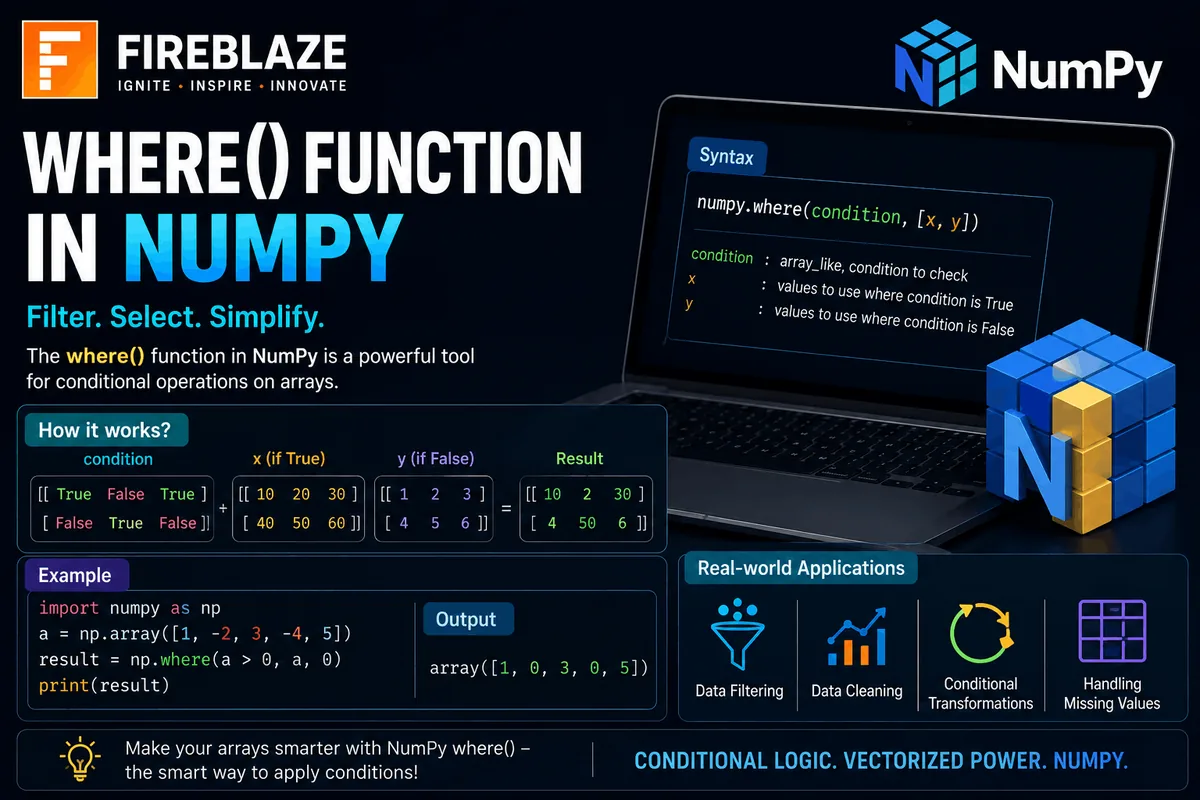
NumPy is one of the most important Python libraries used in Data Science, Machine Learning, Artificial Intelligence, Data Analytics, and Scientific Computing.
It provides powerful tools for working with arrays and performing high-performance numerical operations.
One of the most commonly used NumPy functions is:
numpy.where()\nThe where() function allows you to apply conditions to arrays and return values based on those conditions.
In this guide, you'll learn:
What the NumPy
where()function isSyntax of
where()Practical examples
Conditional filtering
Real-world applications
Interview questions
Best practices
What is the NumPy where() Function?
The where() function is used to return elements from an array based on specified conditions.
It works similarly to:
if-else conditions\nbut performs operations efficiently on entire arrays.
The function is commonly used for:
Data filtering
Conditional replacement
Data transformation
Machine Learning preprocessing
Why Use where()?
Without NumPy:
You may need loops and multiple conditions.
With NumPy:
Faster execution
Cleaner code
Vectorized operations
Better performance on large datasets
This makes it extremely useful in Data Science projects.
Syntax of NumPy where()
Basic syntax:
numpy.where(\ncondition,\nvalue_if_true,\nvalue_if_false\n)\nParameters:
| Parameter | Description |
|---|---|
| condition | Condition to evaluate |
| value_if_true | Returned if condition is True |
| value_if_false | Returned if condition is False |
Importing NumPy
Before using NumPy:
import numpy as np\nBasic Example of where()
import numpy as np\n\narr = np.array(\n[10, 20, 30, 40, 50]\n)\n\nresult = np.where(\narr > 30,\n"High",\n"Low"\n)\n\nprint(result)\nOutput:
['Low' 'Low' 'Low' 'High' 'High']\nExplanation:
Values greater than 30 become
"High"Others become
"Low"
Using where() with Numbers
Example:
import numpy as np\n\narr = np.array(\n[1, 2, 3, 4, 5]\n)\n\nresult = np.where(\narr % 2 == 0,\n100,\n0\n)\n\nprint(result)\nOutput:
[0 100 0 100 0]\nEven numbers become:
100\nOdd numbers become:
0\nFinding Index Positions Using where()
where() can also return index positions.
Example:
import numpy as np\n\narr = np.array(\n[5, 10, 15, 20, 25]\n)\n\nresult = np.where(\narr > 15\n)\n\nprint(result)\nOutput:
(array([3, 4]),)\nMeaning:
Values greater than 15 are located at:
Index 3
Index 4
Using Multiple Conditions
Example:
import numpy as np\n\narr = np.array(\n[10, 20, 30, 40, 50]\n)\n\nresult = np.where(\n(arr > 20) &\n(arr < 50),\n"Valid",\n"Invalid"\n)\n\nprint(result)\nOutput:
['Invalid'\n 'Invalid'\n 'Valid'\n 'Valid'\n 'Invalid']\nReplacing Values with where()
Example:
import numpy as np\n\nsalary = np.array(\n[25000, 40000, 15000, 50000]\n)\n\nupdated_salary =\nnp.where(\nsalary < 20000,\n20000,\nsalary\n)\n\nprint(updated_salary)\nOutput:
[25000 40000 20000 50000]\nThis replaces salaries below:
20000\nwith:
20000\nUsing where() with Strings
Example:
import numpy as np\n\nnames = np.array(\n["Rahul", "Priya", "Amit"]\n)\n\nresult = np.where(\nnames == "Rahul",\n"Found",\n"Not Found"\n)\n\nprint(result)\nOutput:
['Found'\n 'Not Found'\n 'Not Found']\nNumPy where() in Data Science
Data Scientists frequently use where() for:
Data cleaning
Missing value handling
Feature engineering
Data transformation
Label creation
Example:
import numpy as np\n\nmarks = np.array(\n[45, 60, 30, 80]\n)\n\nresult = np.where(\nmarks >= 40,\n"Pass",\n"Fail"\n)\n\nprint(result)\nOutput:
['Pass'\n 'Pass'\n 'Fail'\n 'Pass']\nReal-World Applications of where()
Customer Segmentation
Example:
High Value Customer\nLow Value Customer\nbased on purchase amount.
Fraud Detection
Label transactions:
Suspicious\nNormal\nbased on risk score.
Healthcare Analytics
Classify patients based on:
Age
Risk factors
Medical conditions
Machine Learning
Used during:
Feature engineering
Target variable creation
Data preprocessing
Difference Between Python if-else and NumPy where()
| Python if-else | NumPy where() |
|---|---|
| Works on single values | Works on arrays |
| Uses loops for arrays | Vectorized operations |
| Slower | Faster |
| Less efficient for large datasets | Highly optimized |
Common Mistakes Beginners Make
Missing NumPy Import
Incorrect:
where(arr > 10)\nCorrect:
import numpy as np\n\nnp.where(arr > 10)\nIncorrect Multiple Conditions
Wrong:
arr > 10 and arr < 50\nCorrect:
(arr > 10) &\n(arr < 50)\nNumPy where() Interview Questions
What is the NumPy where() function?
The where() function performs conditional operations on arrays and returns values based on specified conditions.
What is the syntax of where()?
np.where(\ncondition,\nvalue_if_true,\nvalue_if_false\n)\nCan where() return indexes?
Yes.
If only a condition is provided:
np.where(arr > 10)\nit returns matching indexes.
Why is where() faster than loops?
Because NumPy uses vectorized operations optimized in C.
Where is where() used in Data Science?
Used for:
Data preprocessing
Feature engineering
Conditional filtering
Data transformation
Best Practices for Using where()
Use vectorized operations instead of loops.
Keep conditions readable.
Use parentheses for multiple conditions.
Combine with Pandas and NumPy workflows.
Test logic on sample datasets first.
Why Learn NumPy for Data Science?
NumPy is one of the foundational libraries for:
Data Science
Machine Learning
Artificial Intelligence
Scientific Computing
Data Analytics
Most advanced libraries such as:
Pandas
Scikit-Learn
TensorFlow
PyTorch
are built on top of NumPy.
Learning NumPy helps build strong foundations for AI and Data Science careers.
Final Thoughts
The NumPy where() function is one of the most useful tools for performing conditional operations on arrays efficiently. It simplifies data filtering, transformation, labeling, and preprocessing tasks while improving performance compared to traditional loops.
Whether you're preparing for Data Science interviews, working on Machine Learning projects, or learning Python for Analytics, mastering the where() function will help you write cleaner, faster, and more efficient code.
Keep Reading
Related Articles
Learning Guides
Introduction to Computer Vision: A Beginner’s Guide
Discover the basics of Computer Vision, a rapidly growing field of Artificial Intelligence that enables machines to understand images and videos. Expl
All About PyCaret: Conversation with Mr. Moez Ali and Mr. Aniruddha Kalbande | EP-06
Explore PyCaret and its impact on machine learning development through an insightful conversation with PyCaret creator Moez Ali and AI expert Aniruddh
What is Data Mining? Complete Guide for Beginners
Learn what Data Mining is, how it works, key techniques, tools, applications, advantages, challenges, and its role in Data Science, Machine Learning,