 Fireblaze
 Learning Guides
Beginner’s Guide to OpenCV: Learn Computer Vision from Scratch
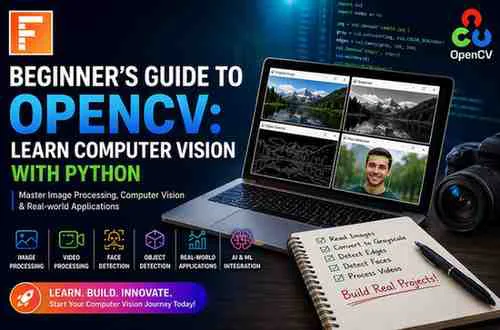
Computer Vision is one of the most exciting fields in Artificial Intelligence (AI). From facial recognition systems and self-driving cars to medical imaging and security surveillance, computer vision is transforming industries worldwide.
At the heart of many computer vision applications is OpenCV (Open Source Computer Vision Library), one of the most popular libraries used for image processing and computer vision tasks.
In this beginner-friendly guide, you'll learn:
What OpenCV is
Why OpenCV is important
How to install OpenCV
Basic image processing operations
OpenCV examples in Python
Real-world applications
Career opportunities in Computer Vision and AI
What is OpenCV?
OpenCV (Open Source Computer Vision Library) is an open-source library designed for real-time computer vision, image processing, and machine learning applications.
Originally developed by Intel, OpenCV provides hundreds of optimized algorithms that allow developers to process images and videos efficiently.
OpenCV supports multiple programming languages including:
Python
C++
Java
JavaScript
Today, OpenCV is widely used in Artificial Intelligence, Machine Learning, Robotics, Healthcare, Automotive Technology, and Security Systems.
Why Learn OpenCV?
OpenCV simplifies complex computer vision tasks and helps developers build intelligent applications quickly.
Benefits of OpenCV:
Free and open-source
Cross-platform support
Large community support
Real-time image processing
Easy integration with Machine Learning and Deep Learning frameworks
Extensive documentation
For aspiring AI Engineers and Data Scientists, OpenCV is an essential skill for building image-based AI systems.
Installing OpenCV in Python
Before using OpenCV, install it using pip:
pip install opencv-python\nTo verify the installation:
import cv2\n\nprint(cv2.__version__)\nIf the version number is displayed, OpenCV is successfully installed.
Reading an Image Using OpenCV
The first step in image processing is loading an image.
Example:
import cv2\n\nimage = cv2.imread("sample.jpg")\n\ncv2.imshow("Image", image)\n\ncv2.waitKey(0)\n\ncv2.destroyAllWindows()\nExplanation
imread()loads the imageimshow()displays the imagewaitKey()waits for user inputdestroyAllWindows()closes the image window
Converting an Image to Grayscale
Color images contain multiple channels, but many computer vision tasks work better with grayscale images.
Example:
import cv2\n\nimage = cv2.imread("sample.jpg")\n\ngray = cv2.cvtColor(image, cv2.COLOR_BGR2GRAY)\n\ncv2.imshow("Grayscale Image", gray)\n\ncv2.waitKey(0)\n\ncv2.destroyAllWindows()\nWhy Use Grayscale?
Reduces complexity
Improves processing speed
Useful for object detection and recognition
Resizing Images
Image dimensions often need adjustment before processing.
Example:
import cv2\n\nimage = cv2.imread("sample.jpg")\n\nresized = cv2.resize(image, (400, 300))\n\ncv2.imshow("Resized Image", resized)\n\ncv2.waitKey(0)\nThis changes the image size to 400×300 pixels.
Drawing Shapes with OpenCV
OpenCV allows drawing geometric shapes on images.
Draw a Rectangle
import cv2\n\nimage = cv2.imread("sample.jpg")\n\ncv2.rectangle(\nimage,\n(50, 50),\n(250, 250),\n(0, 255, 0),\n3\n)\n\ncv2.imshow("Rectangle", image)\n\ncv2.waitKey(0)\nApplications:
Face detection boxes
Object tracking
Annotation tools
Adding Text to Images
Text can be displayed on images for labeling and analytics.
Example:
import cv2\n\nimage = cv2.imread("sample.jpg")\n\ncv2.putText(\nimage,\n"Fireblaze AI School",\n(50, 50),\ncv2.FONT_HERSHEY_SIMPLEX,\n1,\n(255, 0, 0),\n2\n)\n\ncv2.imshow("Text", image)\n\ncv2.waitKey(0)\nEdge Detection Using OpenCV
Edge detection helps identify object boundaries.
Example using Canny Edge Detection:
import cv2\n\nimage = cv2.imread("sample.jpg", 0)\n\nedges = cv2.Canny(\nimage,\n100,\n200\n)\n\ncv2.imshow("Edges", edges)\n\ncv2.waitKey(0)\nApplications include:
Object detection
Shape analysis
Autonomous vehicles
Face Detection Using OpenCV
One of OpenCV's most popular use cases is face detection.
Example:
import cv2\n\nface_cascade = cv2.CascadeClassifier(\n"haarcascade_frontalface_default.xml"\n)\n\nimage = cv2.imread("person.jpg")\n\ngray = cv2.cvtColor(\nimage,\ncv2.COLOR_BGR2GRAY\n)\n\nfaces = face_cascade.detectMultiScale(\ngray,\n1.3,\n5\n)\n\nfor (x, y, w, h) in faces:\n cv2.rectangle(\n image,\n (x, y),\n (x+w, y+h),\n (255, 0, 0),\n 2\n )\n\ncv2.imshow("Faces", image)\n\ncv2.waitKey(0)\nThis detects and highlights faces in an image.
Working with Video in OpenCV
OpenCV can process video streams in real time.
Example:
import cv2\n\nvideo = cv2.VideoCapture(0)\n\nwhile True:\n ret, frame = video.read()\n\n cv2.imshow(\n "Webcam",\n frame\n )\n\n if cv2.waitKey(1) == 27:\n break\n\nvideo.release()\n\ncv2.destroyAllWindows()\nThis accesses the system webcam and displays live video.
Real-World Applications of OpenCV
OpenCV is used across multiple industries.
Healthcare
Medical image analysis
Disease detection
MRI and CT scan processing
Security Systems
Facial recognition
Intruder detection
Surveillance monitoring
Automotive Industry
Lane detection
Traffic sign recognition
Self-driving vehicles
Retail
Customer behavior analysis
Automated checkout systems
Agriculture
Crop monitoring
Disease detection in plants
Manufacturing
Quality inspection
Defect detection
OpenCV and Machine Learning
OpenCV works seamlessly with Machine Learning and Deep Learning models.
Popular integrations include:
TensorFlow
Keras
PyTorch
Scikit-learn
Applications:
Object Detection
Face Recognition
Image Classification
Pose Estimation
OCR (Optical Character Recognition)
Career Opportunities After Learning OpenCV
Computer vision professionals are in high demand.
Potential roles include:
Computer Vision Engineer
AI Engineer
Machine Learning Engineer
Robotics Engineer
Data Scientist
Deep Learning Engineer
Research Scientist
Industries hiring OpenCV professionals:
Healthcare
Automotive
E-commerce
Defense
Security
Manufacturing
AI Startups
Common OpenCV Interview Questions
What is OpenCV?
OpenCV is an open-source computer vision and image processing library.
Which language is most commonly used with OpenCV?
Python is the most popular language due to its simplicity and extensive AI ecosystem.
What is Computer Vision?
Computer Vision enables computers to understand and interpret images and videos.
What is Edge Detection?
Edge detection identifies object boundaries within images.
What is Face Detection?
Face detection identifies human faces in images or video streams.
Tips for Beginners Learning OpenCV
Learn Python fundamentals first.
Understand image processing basics.
Practice with small projects.
Build object detection applications.
Experiment with webcam projects.
Explore Deep Learning integration.
Consistency and hands-on practice are the keys to mastering OpenCV.
Final Thoughts
OpenCV is one of the most powerful tools for learning Computer Vision and Artificial Intelligence. Whether you're interested in facial recognition, autonomous vehicles, healthcare AI, or image analytics, OpenCV provides the foundation for building intelligent vision-based systems.
For students aspiring to build careers in AI, Machine Learning, Data Science, and Computer Vision, learning OpenCV is an excellent first step toward becoming industry-ready in one of the fastest-growing fields of technology.
Keep Reading
Related Articles
Learning Guides
Introduction to Computer Vision: A Beginner’s Guide
Discover the basics of Computer Vision, a rapidly growing field of Artificial Intelligence that enables machines to understand images and videos. Expl
All About PyCaret: Conversation with Mr. Moez Ali and Mr. Aniruddha Kalbande | EP-06
Explore PyCaret and its impact on machine learning development through an insightful conversation with PyCaret creator Moez Ali and AI expert Aniruddh
What is Data Mining? Complete Guide for Beginners
Learn what Data Mining is, how it works, key techniques, tools, applications, advantages, challenges, and its role in Data Science, Machine Learning,