 Fireblaze
 Learning Guides
Basic Image Processing Using NumPy
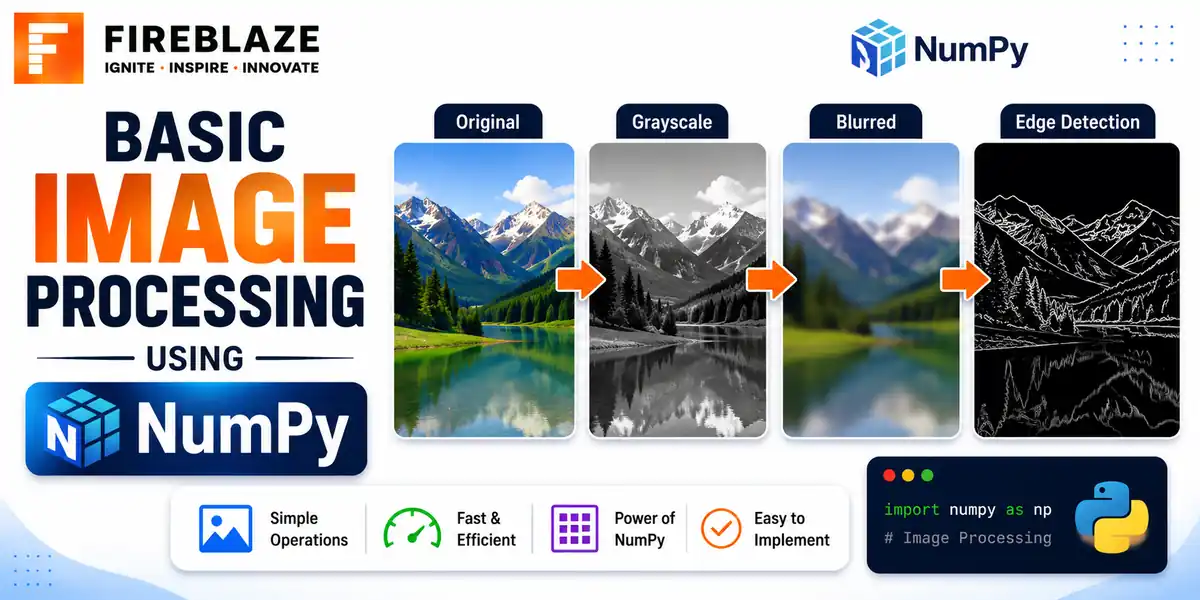
Quick answer: Learn how to represent and manipulate images as NumPy arrays, including reading pixel values, cropping, flipping, and basic filtering.
Images as NumPy Arrays
A digital image is fundamentally just a grid of numbers. A grayscale image is a 2D array of pixel intensities, and a colour image is a 3D array with an extra dimension for the red, green and blue channels.
import numpy as np
from PIL import Image

image = Image.open('photo.jpg')
img_array = np.array(image)

print(img_array.shape)   # e.g. (400, 600, 3) -- height, width, channels
Reading and Modifying Pixel Values
print(img_array[0, 0])          # RGB values of the top-left pixel

img_array[0:50, 0:50] = [255, 0, 0]   # paints a red square in the top-left corner
Cropping an Image
cropped = img_array[100:300, 150:400] # rows 100-300, columns 150-400
Since the image is just an array, cropping is simply array slicing, exactly like slicing a list or a Pandas DataFrame.
Flipping an Image
flipped_horizontal = img_array[:, ::-1]   # reverse columns
flipped_vertical = img_array[::-1, :]     # reverse rows
Converting to Grayscale
grayscale = np.mean(img_array, axis=2).astype(np.uint8)
Averaging the three colour channels gives a simple, if not perceptually accurate, grayscale conversion. Libraries like OpenCV use a weighted formula that better matches human colour perception.
Simple Brightness and Contrast Adjustment
brighter = np.clip(img_array.astype(int) + 40, 0, 255).astype(np.uint8)
np.clip() is essential here, since adding 40 to a pixel already near 255 would otherwise overflow and wrap around incorrectly in an 8-bit integer type.
Basic Image Statistics
print(img_array.mean())    # average pixel intensity across the image
print(img_array.std())     # spread of pixel intensities
print(img_array.max(), img_array.min())
Why This Matters for Machine Learning
Understanding that images are just numeric arrays is the foundation for everything that follows, from basic preprocessing steps like normalisation and resizing, to feeding image data into a Convolutional Neural Network, which operates directly on these same underlying arrays.
Common Interview Questions
Why does adding a brightness value need np.clip()?
Pixel values in an 8-bit image are stored as integers from 0 to 255. Without clipping, adding a value could push a pixel above 255, causing it to wrap around incorrectly rather than simply capping at the maximum brightness.
How would you crop an image using NumPy?
Since the image is represented as an array, cropping is simply slicing that array by row and column range, exactly like slicing a list.
FAQ
Frequently Asked Questions
How is an image represented as a NumPy array?
A grayscale image is a 2D array of pixel intensities. A colour image is a 3D array, with an additional dimension for the red, green and blue channels.
How do you crop an image using NumPy?
By slicing the array along the row and column dimensions, exactly like slicing a Python list or a Pandas DataFrame.
Why is np.clip() needed when adjusting image brightness?
Pixel values are stored as integers from 0 to 255. Without clipping, adding brightness could push a value above 255 and cause it to wrap around incorrectly instead of capping at the maximum.
Keep Reading
Related Articles
Learning Guides
INNER JOIN in SQL with Examples: Complete Beginner's Guide
Learn INNER JOIN in SQL with practical examples, syntax, interview questions, and real-world use cases. A complete beginner-friendly SQL JOI
Learning Guides
OUTER JOIN in SQL: Complete Guide with Examples for Beginners
Master OUTER JOIN in SQL with practical examples and real-world scenarios. Learn LEFT JOIN, RIGHT JOIN, FULL OUTER JOIN, syntax, use cases,
Learning Guides
Multi-Row Functions in SQL: Complete Guide with Examples
Learn multi-row (aggregate) functions in SQL including SUM, AVG, COUNT, MIN, MAX, GROUP BY and HAVING, with practical examples, NULL handlin