 Fireblaze
 Learning Guides
Core Operations in Image Processing: A Complete Guide
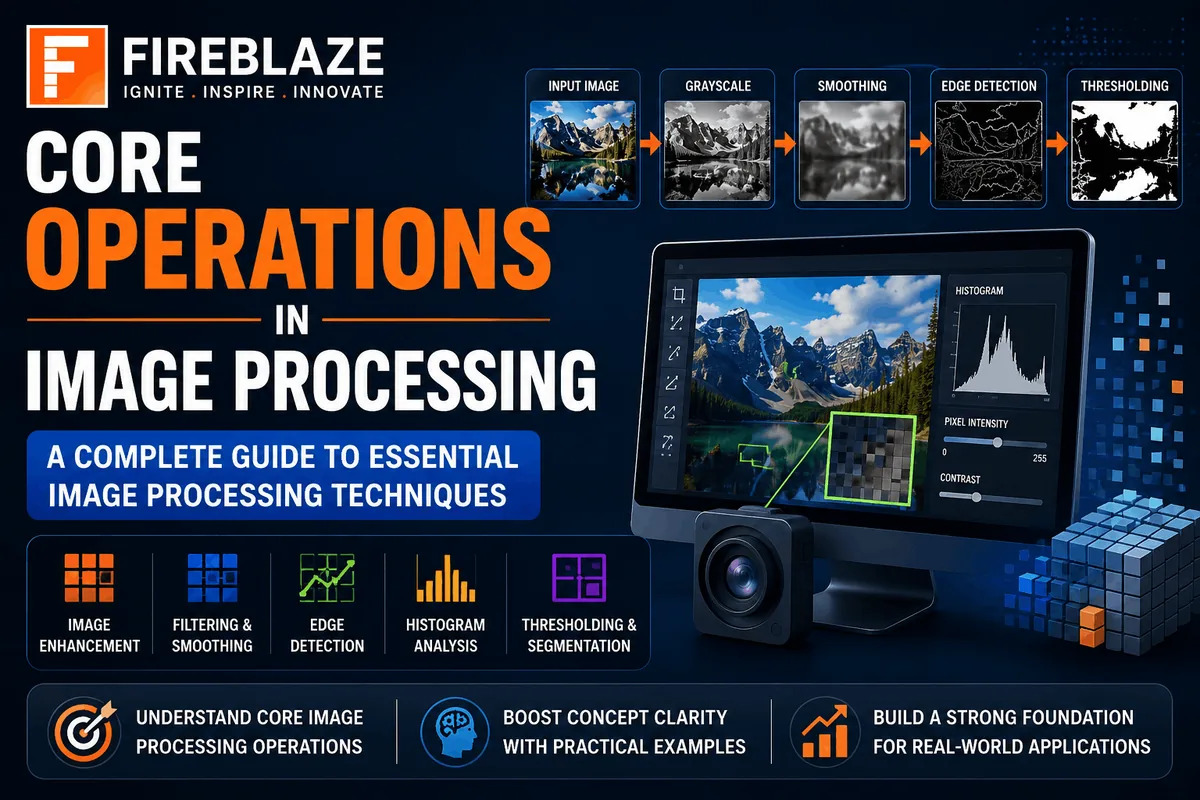
Image Processing is one of the most important fields in Artificial Intelligence, Computer Vision, and Machine Learning. It involves analyzing, enhancing, manipulating, and extracting meaningful information from digital images.
From facial recognition systems and medical imaging to autonomous vehicles and security surveillance, image processing plays a crucial role in modern technology.
In this article, we'll explore the core operations in image processing, their importance, techniques, and real-world applications.
What is Image Processing?
Image Processing is the technique of performing operations on digital images to improve their quality or extract useful information.
The primary goals of image processing are:
Image Enhancement
Image Analysis
Feature Extraction
Pattern Recognition
Object Detection
Image processing serves as the foundation for many Computer Vision applications.
Why is Image Processing Important?
Image processing enables machines to understand visual information.
Applications include:
Medical Imaging
Face Recognition
Self-Driving Cars
Security Systems
Satellite Imaging
Industrial Automation
Without image processing, computers cannot effectively interpret images.
Types of Image Processing Operations
Core image processing operations can be grouped into several categories:
Image Acquisition
Image Enhancement
Image Filtering
Image Transformation
Image Segmentation
Edge Detection
Feature Extraction
Image Compression
Let's understand each operation in detail.
1. Image Acquisition
Image Acquisition is the first step in image processing.
It involves obtaining digital images from sources such as:
Cameras
Scanners
Satellites
Medical Devices
Drones
The acquired image becomes the input for further processing.
Example:
A CCTV camera captures an image that will later be analyzed for object detection.
2. Image Enhancement
Image Enhancement improves the visual quality of an image.
The objective is to make images easier for humans or machines to interpret.
Common enhancement techniques include:
Brightness Adjustment
Improves visibility in dark images.
Contrast Enhancement
Highlights important details.
Histogram Equalization
Improves overall image contrast.
Noise Reduction
Removes unwanted distortions.
Example:
Enhancing blurry medical scans for better diagnosis.
3. Image Filtering
Filtering modifies image pixels to achieve specific objectives.
Filters are commonly used to:
Remove Noise
Smooth Images
Sharpen Details
Detect Edges
Smoothing Filters
Reduce image noise.
Examples:
Mean Filter
Gaussian Filter
Sharpening Filters
Enhance image details.
Examples:
Laplacian Filter
High-Pass Filter
Example Using OpenCV
import cv2

image = cv2.imread("image.jpg")

blurred = cv2.GaussianBlur(
    image,
    (5,5),
    0
)
This applies Gaussian smoothing to reduce noise.
4. Image Transformation
Image Transformation changes image geometry or representation.
Common transformations include:
Scaling
Resize images.
Example:
200x200 → 500x500
Rotation
Rotate images at different angles.
Translation
Move images horizontally or vertically.
Flipping
Mirror images horizontally or vertically.
Transformations are frequently used in data augmentation for Machine Learning.
5. Image Segmentation
Image Segmentation divides an image into meaningful regions.
The goal is to separate objects from the background.
Applications include:
Medical Imaging
Autonomous Vehicles
Object Detection
Thresholding
Separates pixels based on intensity values.
Example:
Pixel > 128 = White
Pixel < 128 = Black
Region-Based Segmentation
Groups similar neighboring pixels.
Clustering-Based Segmentation
Uses algorithms like K-Means Clustering.
6. Edge Detection
Edge Detection identifies object boundaries within images.
Edges represent significant intensity changes.
Popular edge detection methods include:
Sobel Operator
Detects horizontal and vertical edges.
Prewitt Operator
Highlights image boundaries.
Canny Edge Detection
One of the most widely used techniques.
Advantages:
Accurate detection
Noise reduction
Better edge localization
Example Using OpenCV
edges = cv2.Canny(
    image,
    100,
    200
)
This identifies object boundaries in the image.
7. Feature Extraction
Feature Extraction identifies important characteristics from images.
Examples:
Corners
Shapes
Textures
Keypoints
Feature extraction is critical for:
Face Recognition
Image Classification
Object Tracking
Popular Feature Extraction Techniques
SIFT
Scale-Invariant Feature Transform.
SURF
Speeded-Up Robust Features.
ORB
Oriented FAST and Rotated BRIEF.
8. Image Compression
Image Compression reduces file size while preserving image quality.
Benefits include:
Faster Transmission
Reduced Storage Requirements
Improved Efficiency
Lossless Compression
No information is lost.
Examples:
PNG
TIFF
Lossy Compression
Some information is removed.
Examples:
JPEG
WebP
Common Image Processing Techniques
Morphological Operations
Used for shape analysis.
Examples:
Erosion
Dilation
Opening
Closing
Widely used in object detection and segmentation.
Thresholding
Converts grayscale images into binary images.
Applications:
OCR Systems
Medical Analysis
Industrial Inspection
Color Space Conversion
Transforms images between formats.
Examples:
RGB
Grayscale
HSV
LAB
Color conversion helps improve processing accuracy.
Image Processing Using Python and OpenCV
OpenCV is one of the most popular libraries for image processing.
Install OpenCV:
pip install opencv-python
Read an image:
import cv2

image = cv2.imread("sample.jpg")
Convert to grayscale:
gray = cv2.cvtColor(
    image,
    cv2.COLOR_BGR2GRAY
)
Display image:
cv2.imshow(
    "Image",
    gray
)

cv2.waitKey(0)
Real-World Applications of Image Processing
Healthcare
MRI Analysis
CT Scan Processing
Tumor Detection
Security Systems
Face Recognition
Surveillance Monitoring
Autonomous Vehicles
Lane Detection
Traffic Sign Recognition
Obstacle Detection
Manufacturing
Defect Detection
Quality Inspection
Agriculture
Crop Monitoring
Disease Detection
Satellite Imaging
Weather Forecasting
Land Mapping
Environmental Monitoring
Challenges in Image Processing
Despite significant advancements, challenges still exist.
Noise
Images often contain unwanted distortions.
Lighting Variations
Different lighting conditions affect accuracy.
Occlusion
Objects may be partially hidden.
Large Data Volumes
High-resolution images require significant computational resources.
Future of Image Processing
Emerging trends include:
AI-Powered Image Enhancement
Deep Learning-Based Segmentation
Real-Time Object Detection
Medical AI Imaging
Augmented Reality
Generative AI Image Systems
Modern Deep Learning architectures such as CNNs and Vision Transformers are transforming image processing capabilities.
Career Opportunities in Image Processing
Professionals skilled in Image Processing can pursue careers such as:
Computer Vision Engineer
AI Engineer
Machine Learning Engineer
Data Scientist
Robotics Engineer
Research Scientist
The growing adoption of AI and Computer Vision continues to increase demand for image processing experts.
Why Learn Image Processing?
Image Processing is a foundational skill for:
Artificial Intelligence
Computer Vision
Robotics
Autonomous Systems
Medical AI
Deep Learning
Mastering these concepts opens doors to some of the most exciting careers in technology.
Final Thoughts
Core operations in image processing form the backbone of modern Computer Vision and Artificial Intelligence systems. Techniques such as image enhancement, filtering, segmentation, edge detection, feature extraction, and compression help machines understand and analyze visual information effectively.
As AI continues to evolve, image processing will remain one of the most important technologies powering innovations across healthcare, transportation, security, manufacturing, and many other industries.
Suggested Internal Links
Introduction to Computer Vision
Image Classification Using Deep Learning
Convolutional Neural Networks (CNNs)
Object Detection in Computer Vision
Artificial Intelligence Course
Data Science Career Roadmap
Focus Keyword
Core Operations in Image Processing
Secondary Keywords
Image Processing Techniques
Digital Image Processing
Computer Vision Basics
Image Enhancement and Filtering
Image Segmentation Techniques
OpenCV Image Processing
Keep Reading
Related Articles
Learning Guides
Language Translation Using Deep Learning: A Complete Guide
Discover how Deep Learning powers modern language translation systems. Learn Neural Machine Translation, Transformer models, Seq2Seq architecture, applications,
Python 3.9: Features, Improvements, and Complete Beginner's Guide
Python 3.9 introduced several powerful enhancements that improve developer productivity, code readability, and application performance. From dictionary merge op
Data Science Learning Hub: Tutorials, Interview Questions, Projects & Career Resources
Explore Data Science tutorials, Machine Learning guides, Python and SQL resources, interview questions, projects, career roadmaps, analytics concepts, and AI le